Thursday, 23 March 2017

Upgrade Firmware Lenovo A6000 Kraft A6000 S061 to Kraft A6000 S062

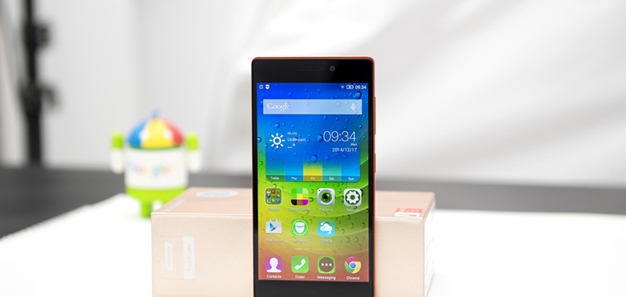
FavNetSoft.com - How to upgrade firmware Lenovo A6000 Lollipop Kraft A6000 S061 to Kraft A6000 S062. Good news for Lenovo A6000 users. Lenovo has been released new firmware update for Lenovo A6000 running android lollipop with build number Kraft-A6000 S062 161223. Now on this article, I will guide you how to install FOTA update Lenovo A6000 Kraft-A6000 S062 161223.

Upgrade Firmware Lenovo A6000 Kraft A6000 S061 to Kraft A6000 S062


Disclaimer

We won’t be held responsible for anything happening to your device during this process. We will help you during such situation. Please read follow each and every step as mentioned below.

Pre-Requisites Before Update Lenovo A6000 to Kraft-A6000 S062


How to Install FOTA Update Lenovo A6000 S061 to S062


  • Extract the FOTA file you have downloaded then copy System.zip and Country-code.ota.zip to the root folder on your sd card
  • Power off your device then go to recovery mode by pressing and hold the Volume Up, Volume Down, and Power button simultaneously. When you feel the device vibrate, immediately release the keys.
  • Select wipe data/factory reset and cache partition then press power button to confirm
  • Choose apply update from sdcard then select the System.zip file and enter by pressing power button
  • Wait until upgrade process finish
  • When the message comes complete then “Reboot to System”
  • Go to recovery mode then flash Country-code.ota.zip

Labels:

Sunday, 23 October 2016

Tutorial How to Flash Lenovo A6000 Stock ROM Kraft-A6000 S061 160727

Favnetsoft.Com - How to Flash Lenovo A6000 Stock ROM Kraft-A6000 S061 160727. The latest version of firmware for Lenovo A6000 has been released. You can get these updates through the system update. If the update process via FOTA fails, you can use the manual update method. Now, I will explain to you step by step how to update lenovo A6000 to Kraft-A6000 S061 160727.

Flash Lenovo A6000 Stock ROM Kraft-A6000 S061 160727


Pre-Requisites Before Update Lenovo A6000


  • Backup of your personal data
  • Make sure the battery capacity charged more than 40%
  • Download Lenovo A6000 Stock ROM Kraft-A6000 S061 160727 (Lollipop)

Disclaimer

We won’t be held responsible for anything happening to your device during this process. We will help you during such situation. Please read follow each and every step as mentioned below.

How to Install Lenovo A6000 Stock ROM Kraft-A6000 S061


  • Copy Kraft-A6000_S061_160727_WCB52C02E0.zip to SD card
  • Switch off your device then press and hold the Volume Down, Volume Up and Power Button simultaneously to boot into stock recovery mode


  • Select the wipe data/factory reset then press power key to confirm
  • Select wipe cache partition then press power to confirm
  • Select apply update from sd card then navigate to Kraft-A6000_S061_160727_WCB52C02E0.zip, press power button to confirm
  • Wait until process upgrade finish

Troubleshoot Failed Update


  • Extract Kraft-A6000_S061_160727_WCB52C02E0.zip on PC
  • Copy System.zip and CountryCode.ota.zip to SD card
  • Go to recovery mode
  • Install System.zip then CountryCode.ota.zip
  • Wait until process upgrade finish

Labels: ,

Saturday, 22 October 2016

Downgrade Lenovo A6000 to Kitkat From Lollipop Using Stock Recovery

Favnetsoft.Com - How to downgrade Lenovo A6000 from Lollipop to Kitkat easily. In my previous articles, I have written a tutorial how to downgrade Lenovo A6000 from Lollipop to Kitkat using TWRP Recovery. But, if you do not want to install TWRP Recovery on your device for any reason, you can still use the stock recovery to downgrade your Lenovo A6000.

Downgrade Lenovo A6000 to Kitkat From Lollipop Using Stock Recovery


Pre-Requisites Before Downgrade Lenovo A6000


  • Backup of your personal data
  • Your device running Android Lollipop (Important)
  • Make sure the battery capacity charged more than 40%
  • Lenovo A6000 Lollipop Stock Recovery is still installed on the device
  • Download Lenovo A6000 Stock ROM Kraft-A6000 S040 (Kitkat)

Disclaimer

We won’t be held responsible for anything happening to your device during this process. We will help you during such situation. Please read follow each and every step as mentioned below.

How to Downgrade Lenovo A6000 to Kitkat from Lollipop


  • Copy Lenovo A6000 Stock ROM Kraft-A6000 S040 to your SD card
  • Switch off your device then press and hold the Volume Down, Volume Up and Power Button simultaneously to boot into stock recovery mode


  • On recovery menu, choose apply update from sd card then select Lenovo A6000 Stock ROM Kraft-A6000 S040 and install
  • Wait until the upgrade process is completed then reboot to system
  • If the device is running normally, boot into recovery mode then select wipe data/factory reset and wipe cache partition

Labels: ,

Sunday, 14 August 2016

Lenovo A6000 Stock ROM Kraft-A6000 S061 160727 (Lollipop)

Favnetsoft.Com - Download official Lenovo A6000 stock ROM Android Lollipop S061. Below is the direct link to download the Lenovo A6000 Stock Firmware (flash file) Kraft A6000 S061 from Lenovo Server. You can use this file to unbrick or unroot your device easily.

Also read:
1. Tutorial How to Flash Lenovo A6000 Stock ROM Kraft-A6000 S061 160727
2. Tutorial How To Flash TWRP 2.8.7.7 Lollipop (SevenMaxs) on Lenovo A6000/Plus/SE

Important Notes

Take a Backup of your personal data before flashing or installing the firmware on your smartphone. As this helps you to recover the personal data whenever any thing wrong happens.
Lenovo A6000 Stock ROM Lollipop s061

File Description

File name: Kraft-A6000_S061_160727_WCB52C02E0.zip
File size: 1 GB
Android Version: 5.0.2

Labels: ,

Wednesday, 11 May 2016

Lenovo A6000 Stock ROM Kraft-A6000 S059 160111 (Lollipop)

FavnetSoft.Com - Download official Stock ROM Lenovo A6000 Lollipop Kraft-A6000 S059. But before you download and use this file, make sure you have read the rules in the Disclaimer Page.

[FIRMWARE] Lenovo A6000 Android Lollipop S059

Latest Update

1. Lenovo A6000 Stock ROM Kraft-A6000 S061 160727 (Lollipop)
2. How to Flash Lenovo A6000 Stock ROM Kraft-A6000 S061 160727

Important Notes

Take a Backup of your personal data before flashing or installing the firmware on your smartphone. As this helps you to recover the personal data whenever any thing wrong happens.

Download Stock ROM Lenovo A6000 Lollipop S059

File Name: Kraft-A6000_S059_160111
Android Version: Lollipop 5.0.2
File size: 1 GB

Labels: ,

Friday, 13 November 2015

Lenovo A6000 Stock ROM Kraft-A6000 S058 151030 (Lollipop)

Favnetsoft.Com - Download official Stock ROM Lenovo A6000 Lollipop Kraft-A6000 S058. But before you download and use this file, make sure you have read the rules in the Disclaimer Page.
[FIRMWARE] Lenovo A6000 Android Lollipop S058

Latest Update

1. Lenovo A6000 Stock ROM Kraft-A6000 S061 160727 (Lollipop)
2. How to Flash Lenovo A6000 Stock ROM Kraft-A6000 S061 160727

Important Notes

Take a Backup of your personal data before flashing or installing the firmware on your smartphone. As this helps you to recover the personal data whenever any thing wrong happens.

Download Lenovo A6000 Stock ROM Lollipop S058

File Name: Kraft-A6000_S058_151030_KK2L_WC67.zip
Android Version: Lollipop 5.0.2
File size: 1 GB

Labels: ,

[OTA UPDATE] Lenovo A6000 Android Lollipop S056 to S058

Download OTA Update file Lenovo A6000 Android Lollipop S056 to S058. Lenovo has released the latest update for Lenovo A6000 Android Lollipop s058. If you want to try manual upgrade Lenovo A6000 from Lollipop S056 to S058, you need file update Kraft-A6000 S056 150924 TO Kraft-A6000 S058 151030 L2L WCB6. But before you download and use this file, make sure you have read the rules in the Disclaimer Page.

[UPDATE] Lenovo A6000 Android Lollipop S056 to S058

Download OTA Update Lenovo A6000 S056 to S058

File size: 144 MB
Download: Kraft A6000 S056 to S058

Labels: , ,

Friday, 30 October 2015

CM12.1 (64bit) Custom ROM Lollipop 5.1 for Lenovo A6000/A6000 Plus by FlourMo

Favnetsoft.Com - Download CM12.1 (64bit) Android Lollipop by FlourMo for Lenovo A6000/PLus. This custom ROM compatible with Lenovo A6000 or A6000 Plus.
Download CM12.1 (64bit) for Lenovo A6000/A6000 Plus

Download CM12.1 (64bit) for Lenovo A6000/A6000 Plus

ROM Type : CyanogenModROM Version : CM 12.1 (64bit)
Android Version : 5.1
Author: FlourMo
Size : 389 MB
Download: CM 12.1 (pass:fec6) | Mirror

Labels: , ,

Thursday, 29 October 2015

Lenovo A6000 Stock ROM Kraft-A6000 S040 (Kitkat)

Favnetsoft.Com - Download Lenovo A6000 Stock ROM Kraft-A6000 S040 (Kitkat). If you wanna flash a stock rom Lenovo A6000, I found out the download link of official stock firmware. But before you download and use this file, make sure you have read the rules in the Disclaimer Page.
Download Stock ROM Lenovo A6000 Kitkat S040


Important Notes

Take a Backup of your personal data before flashing or installing the firmware on your smartphone. As this helps you to recover the personal data whenever any thing wrong happens.

Download Stock ROM Lenovo A6000 Kitkat S040


File Name: Kraft-A6000_S040_150805_WCB1.zip
Android Version: Kitkat 4.4.4
File size: 1.04 GB

Labels: ,

Monday, 12 October 2015

Lenovo A6000 OTA Update Android Lollipop S054 to S056

Favnetsoft.Com - Download OTA Update file Lenovo A6000 Android Lollipop S054 to S056. If you want to try manual upgrade Lenovo A6000 from Lollipop S054 to S056, you need file update Kraft A6000 Kraft-A6000 S054 150915 TO Kraft-A6000 S056 150924 WC85. But before you download and use this file, make sure you have read the rules in the Disclaimer Page.

[UPDATE] Lenovo A6000 Android Lollipop S054 to S056

Download OTA Update Lenovo A6000 S054 to S056


File Name: Kraft-A6000_S054_150915_TO_Kraft-A6000_S056_150924_WC85.zip
File size: 137 MB

Labels: ,

Lenovo A6000 Stock ROM Kraft-A6000 S056 150924 (Lollipop)

Favnetsoft.Com - Download Lenovo A6000 Stock ROM Lollipop S056. If you wanna upgrade a Lenovo A6000 from Android Kitkat 4.4.4 to Android Lollipop 5.0.2, i found out the download link of official stock firmware. But before you download and use this file, make sure you have read the rules in the Disclaimer Page.
[FIRMWARE] Lenovo A6000 Android Lollipop S056

Latest Update

1. Lenovo A6000 Stock ROM Kraft-A6000 S061 160727 (Lollipop)
2. How to Flash Lenovo A6000 Stock ROM Kraft-A6000 S061 160727

Important Notes

Take a Backup of your personal data before flashing or installing the firmware on your smartphone. As this helps you to recover the personal data whenever any thing wrong happens.

Download Lenovo A6000 Stock ROM Lollipop S056

File Name: Kraft-A6000_S056_150924_WC51.zip
Android Version: 5.0.2
File size: 1.02GB

Labels: ,

Wednesday, 23 September 2015

Lenovo A6000 OTA Update Android Lollipop S052 to S054

Favnetsoft.Com - Download OTA Update file Lenovo A6000 Android Lollipop S052 to S054. If you want to try manual upgrade Lenovo A6000 from Lollipop S052 to S054, you need file update Kraft A6000 S052 150825 TO Kraft A6000 S054 150915 WCD2. But before you download and use this file, make sure you have read the rules in the Disclaimer Page.
Download OTA Update Lenovo A6000 S052 to S054

Download OTA Update Lenovo A6000 S052 to S054

File Name: Kraft-A6000_S052_150825_TO_Kraft-A6000_S054_150915_WCD2.zip
File Size: 138 MB

Labels: ,

Tuesday, 22 September 2015

Lenovo A6000 Stock ROM Kraft-A6000 S054 150915 (Lollipop)

Favnetsoft.Com - Download official Stock ROM Lenovo A6000 Lollipop S054. If you wanna upgrade a Lenovo A6000 from Android Kitkat 4.4.4 to Android Lollipop 5.0.2, I found out the download link of official stock firmware. But before you download and use this file, make sure you have read the rules in the Disclaimer Page.
[FIRMWARE] Lenovo A6000 Android Lollipop S054

Latest Update

1. Lenovo A6000 Stock ROM Kraft-A6000 S061 160727 (Lollipop)
2. How to Flash Lenovo A6000 Stock ROM Kraft-A6000 S061 160727

Important Notes

Take a Backup of your personal data before flashing or installing the firmware on your smartphone. As this helps you to recover the personal data whenever any thing wrong happens.

Download Stock ROM Lenovo A6000 Lollipop S054

File Name: Kraft-A6000_S054_150915_WCAA.zip
Android Version: Lollipop 5.0.2
File size: 1.02GB

Labels: ,

Saturday, 12 September 2015

Tutorial How to Root Lenovo A6000/Plus/SE (Lollipop 5.0.2)

Favnetsoft.Com - Rooting your device allow you to access the entire operating system and customize just about anything on your Android. With root access, you can also get around any restrictions that your manufacturer or carrier may have applied.


Tutorial How to Root Lenovo A6000/Plus/SE (Lollipop 5.0.2)

One of the most obvious incentives to root your Android device is to rid yourself of the bloatware that’s impossible to uninstall. Additional benefits include the ability to install special apps and flash custom ROMs, each of which can add extra features and streamline your phone performance. And on this article I will guide you, how to root Lenovo A6000 which running on Android Lollipop 5.0.2.

Pre-Requisites Before Root Lenovo A6000 Lollipop 5.0.2

  • Your device running Android Lollipop 5.0.2
  • Backup of your personal data
  • Make sure the battery capacity charged more than 60%
  • Enable USB Debugging Mode on your device, read the tutorial here
  • Go to Settings » Security and enable Unknown Sources option
  • Download and install Lenovo A6000 USB driver
  • Download and flash Lenovo A6000 TWRP Recovery 2.8.7.7 Lollipop by SevenMaxs
  • Download SuperSU v2.46 for Lenovo A6000/A6000 Plus/A6000 SE

Disclaimer

Rooting or installing a custom rom or recovery might brick your device or your  device may act abnormally and you also lose the device warranty. You may even get a dead SD card which might not work or you can leave your device in a dead state. Before going through the entire tutorial please be advised that it is your own responsibility to go further. We are not  liable for any loss of data or any property of yours by any mean.

How to Root Lenovo A6000 Running Android Lollipop 5.0.2

  1. Copy SuperSU-v2.46-favnetsoft.com.zip from PC to SD card through USB cable
  2. Switch off your device then press and hold the Volume Down, Volume Up and Power Button simultaneously to boot into TWRP recovery mode
  3. On TWRP recovery menu, go to Install
  4. Select Install zip and navigate to SuperSU-v2.46-favnetsoft.com.zip.
  5. Swipe to confirm Installation of zip.
  6. Congratulation! You have successfully rooted your Lenovo A6000, A6000 Plus, or A6000 SE

Labels: ,

Tutorial Upgrade Lenovo A6000 from Kitkat to Lollipop

Favnetsoft.Com - Lenovo A6000 Lollipop 5.0.2 update is finally over and now you can upgrade from your old version which is running on Kitkat 4.4.4. On this article, I will guide you how to upgrade your Lenovo A6000 from Kitkat to Lollipop. The operation may erase your personal data so please make sure you back up your personal data before performing upgrade.

Tutorial Upgrade Lenovo A6000 from Kitkat to Lollipop

Pre-Requisites to Upgrade Lenovo A6000 from Kitkat to Lollipop

  1. Backup of your personal data
  2. Make sure the battery capacity of more than 50 %
  3. Device not rooted
  4. Download Official Stock ROM Lenovo A6000 - Lollipop here

Disclaimer

We won’t be held responsible for anything happening to your device during this process. We will help you during such situation. Please read follow each and every step as mentioned below.


Step by Step How to Upgrade Lenovo A6000 from Kitkat to Lollipop

  1. Copy stock ROM Lenovo A6000 - Lollipop on your SD card
  2. Go to the Recovery Mode by pressing the volume up and volume down then press power button
  3. Make a full system wipe of data partition and cache partition
  4. Choose apply update from sdcard then select the Stock ROM zip file and enter by pressing power button
  5. When the message comes complete then “Reboot to System” (the first boot can take up to 5 minutes)

Labels: ,

Saturday, 5 September 2015

Tutorial Downgrade Lenovo A6000 from Lollipop to Kitkat

Favnetsoft.Com - Simple tutorial how to revert back to Kitkat from Lollipop just by installing a TWRP Recovery on Lenovo A6000 which is running on Lollipop and then flash the Stock Rom Kitkat for Lenovo A6000.

Downgrade Lenovo A6000 from Lollipop to Kitkat

Pre-Requisites to Downgrade Lenovo A6000 from Lollipop to Kitkat


  • Backup of your personal data
  • Make sure the battery capacity of more than 50 %
  • Install TWRP Recovery on Lenovo A6000 which is running on Lollipop, read the tutorial here
    Note: if you want to downgrade using stock recovery, you can read the article here
  • Download Official Stock ROM Lenovo A6000 - Kitkat here

Disclaimer

We won’t be held responsible for anything happening to your device during this process. We will help you during such situation. Please read follow each and every step as mentioned below.

Step by Step How to Downgrade Lenovo A6000 from Lollipop to Kitkat


  • Copy stock ROM Lenovo A6000 - Kitkat on your SD card
  • Boot into TWRP Recovery mode by hold down Vol Up, Vol Down, and Power button together.
  • Make a full system wipe of dalvik cache, data, cache etc using the “Format button”
  • Go back the main screen and select “Install” and then press one level up and select the SD Card.
  • Now select the Stock ROM zip file and “Swipe Install”
  • When the message comes complete then “Reboot to System”

Labels: ,

Tutorial Install TWRP Recovery On Lenovo A6000/A6000 Plus Lollipop

Favnetsoft.Com - TWRP (Team Win Recovery Project) recovery will help you flash custom roms, or stock roms. You can even revert back to Kitkat on Lenovo A6000/Plus and also you can take backups and restore it later if you brick your device while installing custom roms.

Tutorial Install TWRP Recovery On Lenovo A6000/A6000 Plus Lollipop

Pre-Requisites To Install TWRP Recovery

  1. Backup of your personal data
  2. Make sure the battery capacity of more than 50 %
  3. Enable USB Debugging Mode on your device, read the tutorial here
  4. Go to Settings > Security and enable Unknown Sources option
  5. Connect your Lenovo A6000 to your PC and install the application (CDROM) which you can see in your My Computer or This PC
  6. Setup ADB and Fastboot drivers on your PC, read the tutorial here
  7. Download the following  TWRP recovery.img from here
Also read:
  1. Tutorial How To Flash TWRP 2.8.7.7 Lollipop (SevenMaxs) on Lenovo A6000/Plus/SE
  2. Tutorial How To Flash Lenovo A6000 TWRP 2.8.6.1 Kitkat (SevenMaxs)

Disclaimer

Rooting or installing a custom rom or recovery might brick your device or your  device may act abnormally and you also lose the device warranty. You may even get a dead SD card which might not work or you can leave your device in a dead state. Before going through the entire tutorial please be advised that it is your own responsibility to go further. We are not  liable for any loss of data or any property of yours by any mean.

Step by Step Install TWRP Recovery On Lenovo A6000 Lollipop

  1. Extract lenovo-a6000-twrp-favnetsoft.com
  2. Copy the recovery.img file to C:\Program Files (x86)\Minimal ADB and Fastboot or C:\Program Files\Minimal ADB and Fastboot directory


  3. Open C:\Program Files (x86)\Minimal ADB and Fastboot or C:\Program Files\Minimal ADB and Fastboot directory and right click on py_cmd.exe file and Run as Administrator


  4. In the command box type  the following:
  5. adb devices
  6. You will get this message:


  7. Now type in the command box
    adb reboot bootloader
  8. This will reboot your device into Bootloader / Fastboot Mode.
  9. Now type again in the command box
    fastboot boot recovery.img

  10. Once you get the finished message in the command box then type the following command to reboot Lenovo A6000.
    fastboot reboot
TWRP Recovery now been installed in your Lenovo A6000 Lollipop. Good luck.

Labels: , ,

Tuesday, 1 September 2015

Lenovo A6000 Stock ROM Kraft-A6000 S052 150825 (Lollipop)

Favnetsoft.Com - Download Official Stock ROM Lenovo A6000 Lollipop S052. If you wanna flash a stock rom Lenovo A6000 from Android Kitkat to Android Lollipop, I found out the download link of official stock firmware. But before you download this file, make sure you have read the rules in the Disclaimer Page.
[FIRMWARE] Lenovo A6000 Android Lollipop S052

Latest Update

1. Lenovo A6000 Stock ROM Kraft-A6000 S061 160727 (Lollipop)
2. How to Flash Lenovo A6000 Stock ROM Kraft-A6000 S061 160727

Important Notes

Take a Backup of your personal data before flashing or installing the firmware on your smartphone. As this helps you to recover the personal data whenever any thing wrong happens.

Download Stock Rom Lenovo A6000 Lollipop S052

File Name: Kraft-A6000_S052_150825_WCCA.zip
Android Version: 5.0.2 (Lollipop)
File Size: 995.6 MB

Labels: ,

Tuesday, 4 August 2015

Lenovo A6000 Stock ROM Kraft-A6000 S032 150327 (Kitkat)

Favnetsoft.Com - Download official stock ROM Lenovo A6000 Android Kitkat s032. If you wanna flash a stock rom Lenovo A6000, i found out the download link of official stock firmware. But before you download this file, make sure you have read the rules in the Disclaimer Page.
Stock ROM Lenovo A6000 - Kitkat s032

Latest Update

1. Lenovo A6000 Stock ROM Kraft-A6000 S061 160727 (Lollipop)
2. How to Flash Lenovo A6000 Stock ROM Kraft-A6000 S061 160727

Important Notes

Take a Backup of your personal data before flashing or installing the firmware on your smartphone. As this helps you to recover the personal data whenever any thing wrong happens.

Download Stock ROM Lenovo A6000 - Kitkat S032

File name: Kraft-A6000_S032_150327_WCDB.zip
Android Version: 4.4.4 (Kitkat)
Version: Vibe UI 2.0

Labels: ,