How to Install Resurrection Remix 5.8 Rom on Oukitel K6000 Pro
Resurrection Remix for Oukitel K600 Pro-
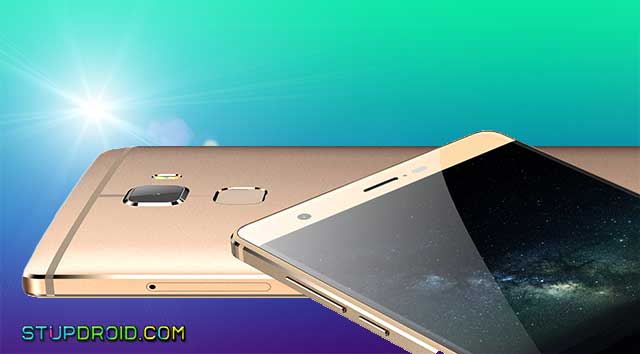
Resurrection Remix 5.8 based on android nougat Rom now available for Oukitel k600o pro and today we will Show you how to Install Rom on oukitel k6000 Pro,
Related to your Device-
Resurrection Remix 5.8 based on android nougat Rom now available for Oukitel k600o pro and today we will Show you how to Install Rom on oukitel k6000 Pro,

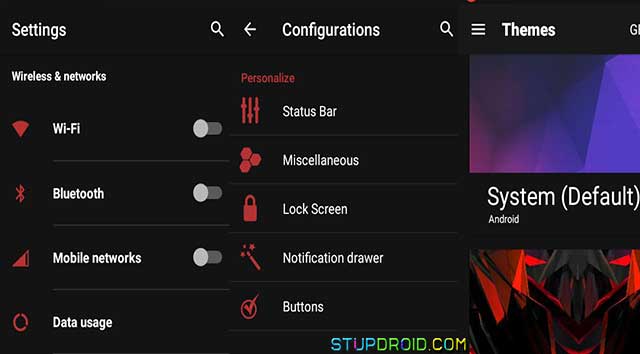
Download and install Resurrection Remix Rom on Oukitel K6000 Pro,here is a Step by Step Guide to Download and install Resurrection Remix Custom Rom on oukitel k600 pro, the Rom is stable and in initial built based on android 7.1 OS and it has some minor bug which is solved in next build, the Rom is fully customizable and you can change user experience using various themes, you can install the Rom on both Rooted and non Rooted Devices, if you have Rooted Device you can install the Rom via twrp and if you don't have a Rooted Device you can also install it via SP flash tools, Follow Below Guide to install Resurrection Remix on oukitel K6000 Pro,
Note:-- This ROM is work on Listed Device. Don’t try this on any other device.
- This is the stable version of Rom.
- Follow the steps correctly otherwise you may brick your device. We are not responsible for any damage to your phone.
- It will erase all your data, so we advise you first to take a complete backup of your phone and then proceed.
- Ensure that your phone has at least 50-60% charged to prevent the accidental shutdown in-between the process,
- Release Note By Developer-
- Rom Updated: 9 Jan 2017 -Rom Compiled 9 Jan 2017 -From the latest sources -
- Latest Android 7.1.1 -Based on Lineage OS 14.1 with AiCP extended settings. -
- Update Patch security update Jan 2017 -32bit (Better battery) -All Works without: *Camera (flashlight also)
- Installation via TWRP, SP Flash Tool or DualBoot Patcher.
Related to your Device-
- How to Install Xtram Music pure audio on any Android Device
- How to install Xposed Framework on Any android Device
- How to Install htc Gallery on any Android Device
- How to Install Dolby Atoms on Any android Device
How To Install Resurrection Remix Custom Rom on Oukitel K6000 Pro-
Step: 1) First, download and install a custom recovery. If you already had a custom recovery installed on your device then skip this step.
Step: 2) Download the Rom File for Your Device and Gapps from above and save it on your device.
Step: 3) Now Boot your device into Recovery mode by press and hold “Volume Down+Power Button”
Step: 4) Now you will enter into recovery mode. Now in TWRP, create a Nandroid backup (Recommended) of your device for safer side, if anything goes wrong.
Step: 5) Now do a Factory Reset by Goto Wipe>Advanced Wipe>Select Wipe cache, Dalvik cache, System, and data and swipe to confirm it.
Step: 6) Now, Go to Install and locate the ROM zip file & swipe to Install the ROM file. After the process completes, Flash the GApps zip file.
Step: 7) Now wipe cache & Dalvik cache again and Reboot your device.
Step: 7) Done!
So this IS a Complete Guide to Download and install Resurrection Remix Custom Rom on Oukitel K6000 Pro, if you have any question let us know via Comment,
Search tag-
Step: 1) First, download and install a custom recovery. If you already had a custom recovery installed on your device then skip this step.
Step: 2) Download the Rom File for Your Device and Gapps from above and save it on your device.
Step: 3) Now Boot your device into Recovery mode by press and hold “Volume Down+Power Button”
Step: 4) Now you will enter into recovery mode. Now in TWRP, create a Nandroid backup (Recommended) of your device for safer side, if anything goes wrong.
Step: 5) Now do a Factory Reset by Goto Wipe>Advanced Wipe>Select Wipe cache, Dalvik cache, System, and data and swipe to confirm it.
Step: 6) Now, Go to Install and locate the ROM zip file & swipe to Install the ROM file. After the process completes, Flash the GApps zip file.
Step: 7) Now wipe cache & Dalvik cache again and Reboot your device.
Step: 7) Done!
So this IS a Complete Guide to Download and install Resurrection Remix Custom Rom on Oukitel K6000 Pro, if you have any question let us know via Comment,

Search tag-
Resurrection Remix rom for oukitel k6000 pro, cara install Resurrection Remix stable nougat rom on oukitel k6000 pro, rom Download Resurrection Remix on okitel k6000 pro, cara install Rr Rom on oukitel k6000 pro, rom file for oukitel k6000 pro, cara flash Resurrection Remix oukitel k600 pro,
Labels: Custom ROM, Oukitel K6000 Pro, RR
posted by johan @ January 25, 2017
0 Comments